How I got Started in Running a Homelab
The Way Beginning
My journey began when I bought my first Raspberry Pi on Facebook Marketplace. It was a 3B+ and it was dog slow.
I used that Pi to teach myself how to use Linux. I had never touched it before but I knew that I wanted all of my future servers to run it.
Eventually I got familiar enough with the command line that I started to want more. Something faster. I had some old X86 hardware from an old gaming PC that was gathering dust; I threw all that together and ran it without a case, even 3D printing a wall mouunt for the motherboard.
This system ran on the Intel Skylake platform. An Asus Z-170A motherboard served as the base, with an i5-6600K and 16GB of RAM on board. Combined with Ubuntu Server and wanton determination, I began learning what I was really looking for.
My first real efforts into self-hosting were in attempts to create my own NAS and host game servers for me and my buddies. The game servers were a piece of cake, I had hosted Minecraft servers on Windows in the past. The NAS gave me a bit of trouble, however. I had never heard of SMB or even really knew what a daemon was. But after much Google-Fu, I was successfully able to share a couple of folders with Samba.
It was around this time that I got my second Pi, a 4B. This would become my test platform for a lot of shenanigans. But it eventually became a dedicated VPN machine, with a handy service called PiVPN.
By now I had heard from the IT guy at work about an operating system called Proxmox, a hypervisor. I could use it to compartmentalize all of my services and get a cool management webui. I immediately installed it. But not before backing up all of my files on my makeshift NAS.
Virtualization and Me
Proxmox was a gamechanger for me. I knew about virtual machines, messing aroud with VirtualBox to get some nostalgia with Windows 98 and XP. But it had never occurred to me that there were whole operating systems dedicated to virtualization. In hindsight, it makes sense.
One of the first things I spun up in my new hypervisor was a TrueNas VM. I wanted a NAS and this way I could get something that felt professional, and with redundancy. I had never heard of ZFS but i knew what RAID was and I knew TrueNas had something with RAID. At this time, though, I only had one 1TB hard disk to use. So no redundancy for me. It didn’t take me long to pick up two 4TB WD Red hard drives. I’m still running these drives today.
To this day the only virtual machine that exists from back in the early days of my virtualization adventure is the TrueNas VM. Today, I run a lot of different virtualized environments. Most of which run in LXCs.
At this time, my virtualization environment includes two Proxmox nodes, named Odin and (later) Freyja, with one Raspberry Pi acting as a third vote for quorum. It is set up for high availability, with all of my essential containers configured to automatically migrate to the working node if one of the nodes goes offline. My intention is to pick up a third node for extra headroom and redundancy, while also moving my NAS away from a virtualized environment. Taking down one of my nodes and having my entire library of media go offline is quite the flaw.
The Problem with the Rented Gateway
I had been renting a gateway from my ISP for many years and never really had any problems with it. But when I started doing all of this self hosting shenanigans, I started realizing that I was being severely limited with what I was allowed to do with their provided gateway.
I ended up buying an old Dell Optiplex on Facebook Marketplace and put a dual 10Gbit NIC in it to use as a router. I settled on installing OPNSense and that config still exists at the time of writing. I paired that with a TPLink access point to provide Wi-Fi. OPNSense is now being ran on a mini PC with an Intel N150 and a dual 2.5Gbit NIC. It is very small and quiet and perfect for a firewall.
Building a Library
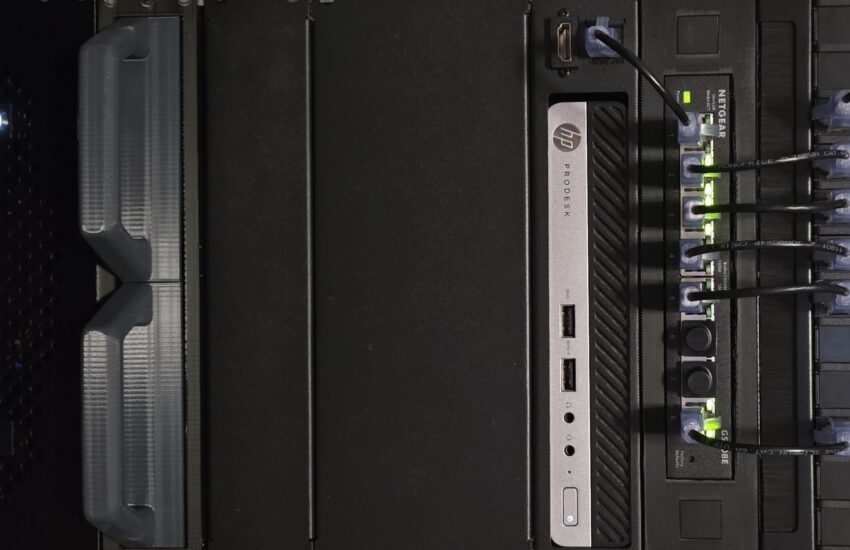
After containerizing a lof of my services, it was only natural for a media streaming setup to be born. I started with trying to virtualize Plex or Jellyfin for movies and TV shows, but at this point in my journey I was still unfamiliar enough with GPU passthrough that it was a non-starter for me. I wanted to be able to hardware transcode. What I opted to do instead, was get a whole separate machine just for running a Plex server. I ended up with an HP ProDesk 400 G3 Mini. It came with an i3-7100T and only 4GB of RAM. With a fresh Debian 12 install and a Plex server pointed to my NAS, I had all of my content in one place.
I made sure that all of the media I obtained was legit and legal. Spending way too much money on Blu-Rays and DVDs. When I started I was transcoding all of my ripped media from MKV down to MP4, but after a while of that I got sick of waiting for transodes to finish and decided to just keep everything as MKV files. This ate up a lot of my storage. I decided that movies weren’t as important to me as other forms of media and began purging all but my favorites. Opting to use my storage for music instead.
I started buying all of my favorite albums. Then all of my lesser favorite albums. Then my girlfriend started pitching in some of her albums. We had amassed quite the collection of streamable music that was all owned by us and in the highest quality we could rip them. But this presented another choice; which streaming service to host.
With the Plex server already being there, that became the obvious answer. And Plexamp became our app of choice. Life was good.
But then Plex had to come in and be a corporation and increase the price of their annual PlexPass subscription 200%. I couldn’t continue to support them in my rack. So we ditched Plex in favor of Jellyfin and Navidrome. This happened after the move in the next section so at this point I was familiar with PVE enough to figure out the hardware transcoding and I could run both of these services in LXCs. Once again, life was good.
Moving Shop
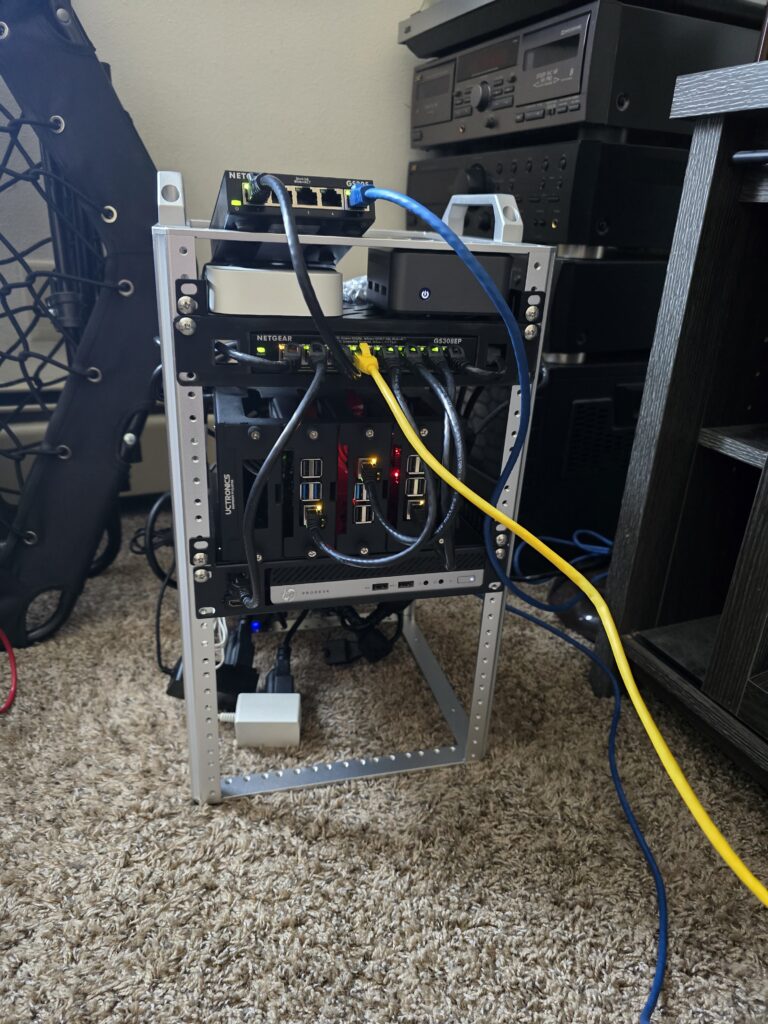
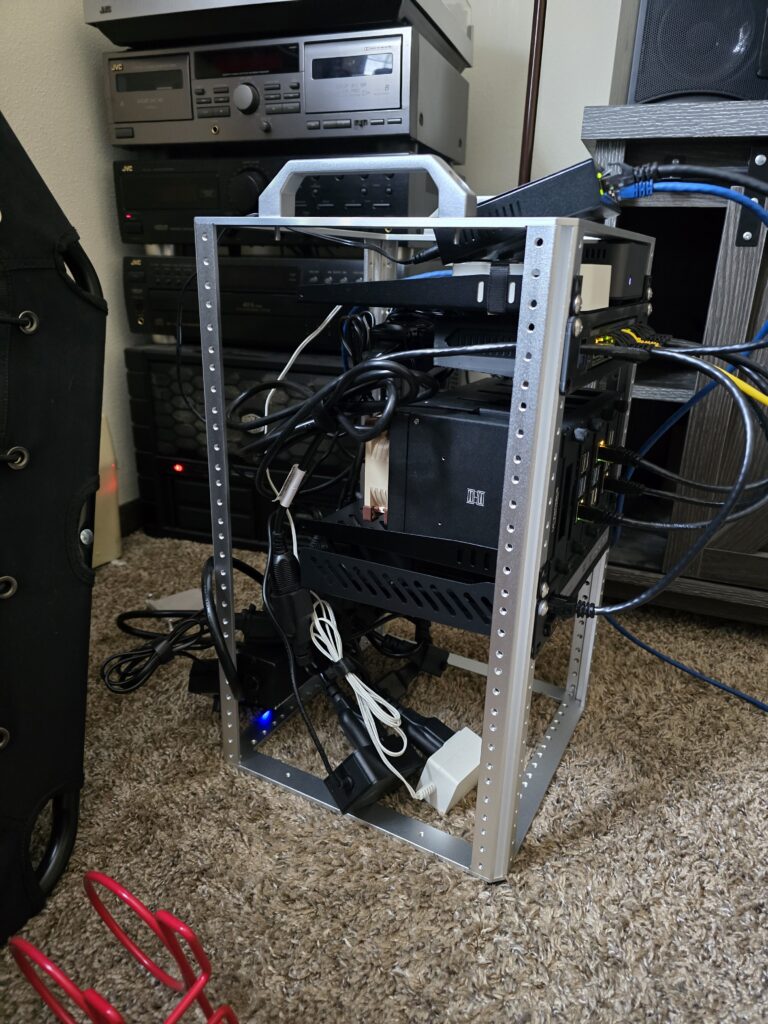
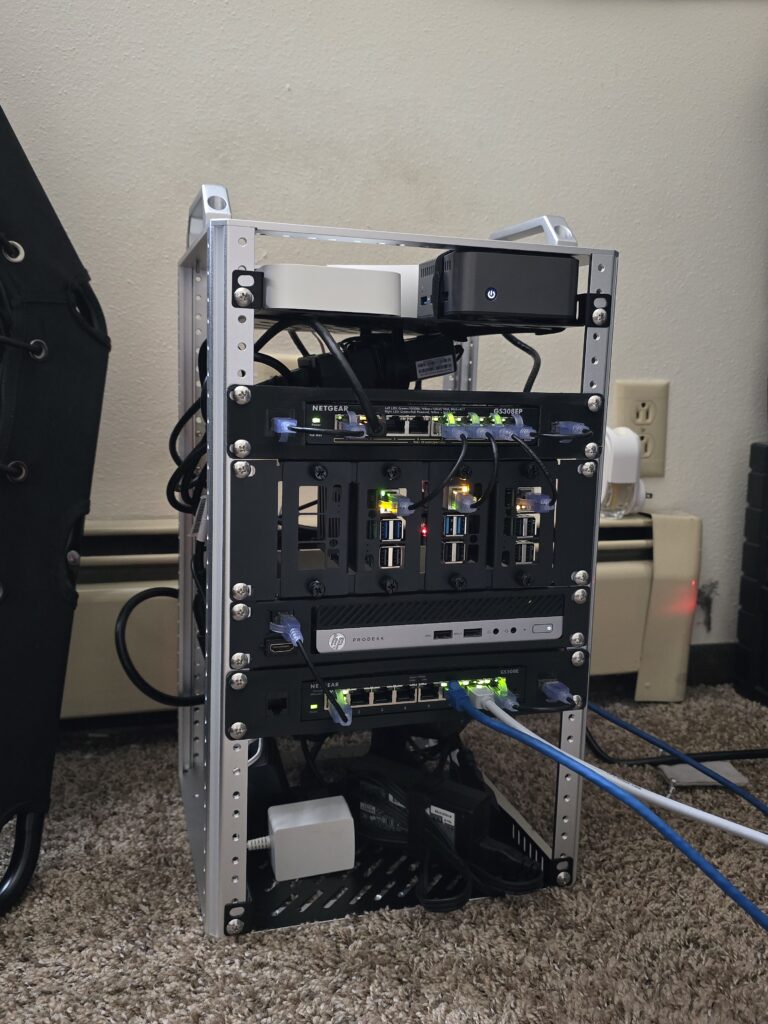
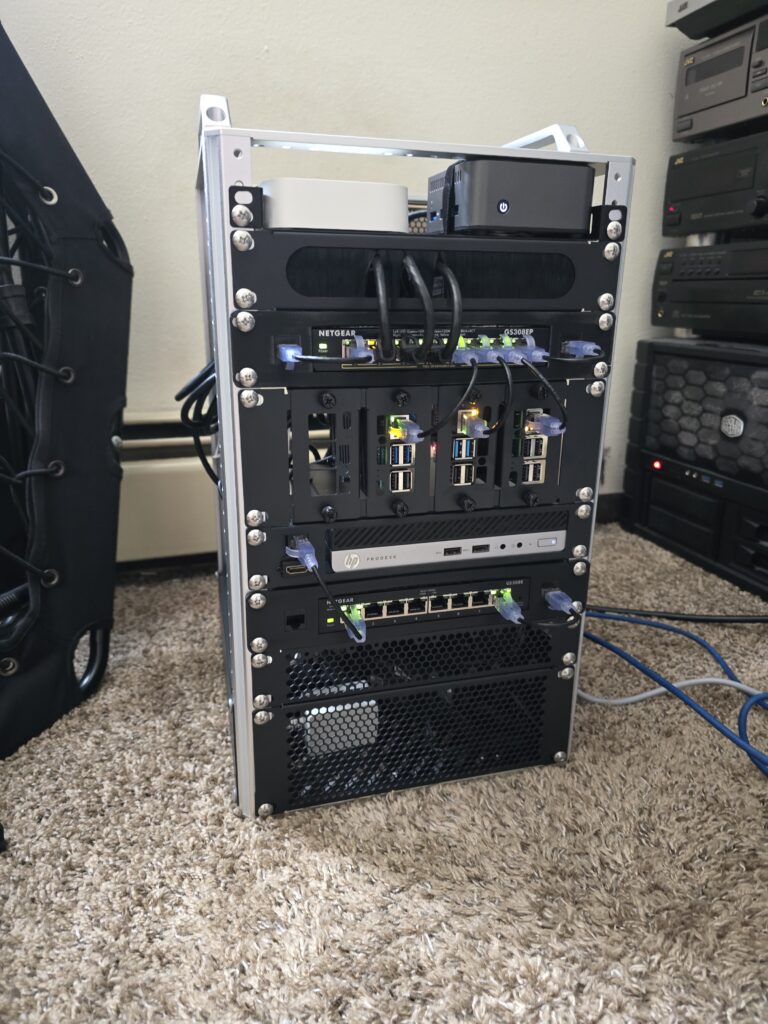
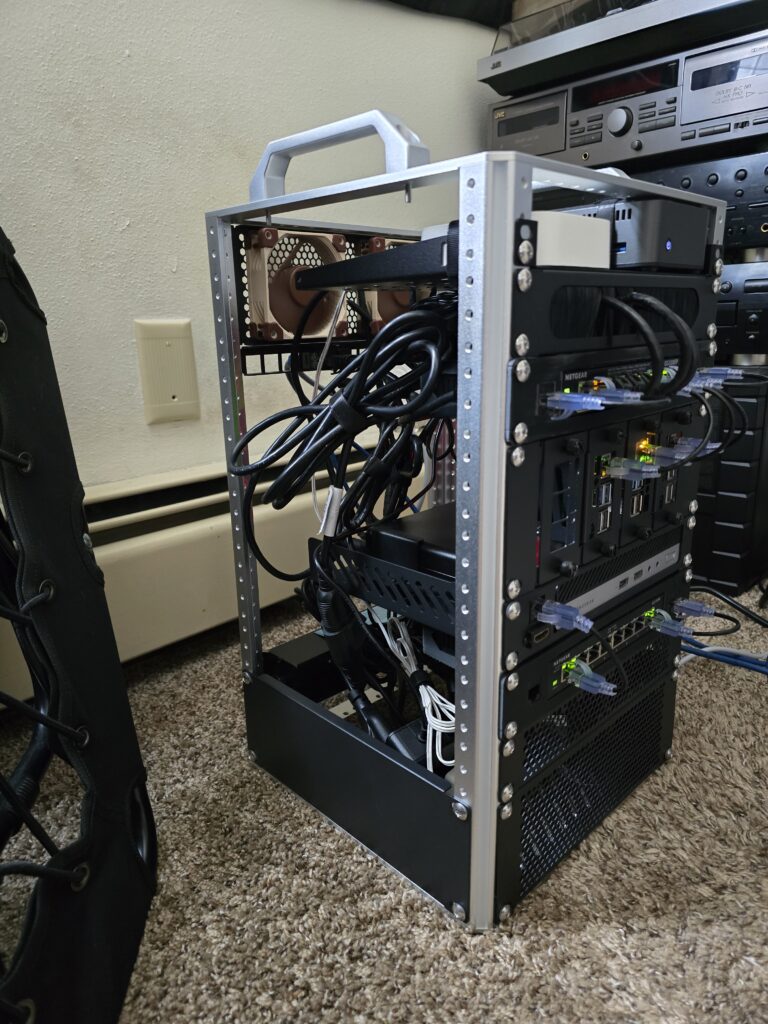
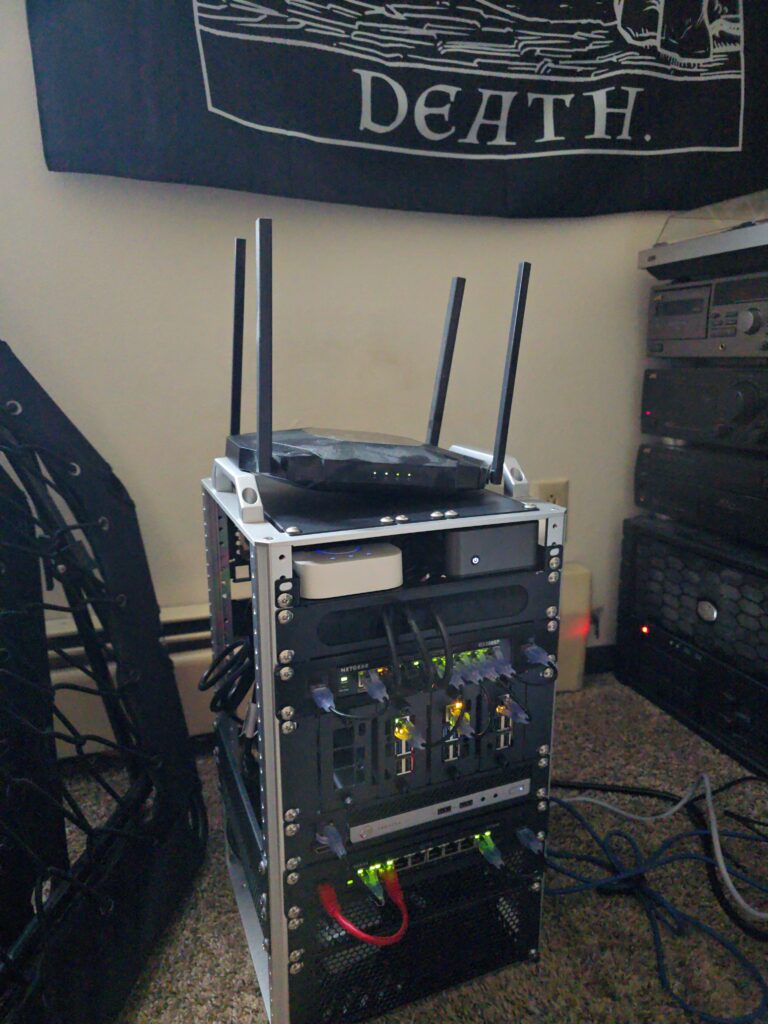
I was moving. And I had way too many computers and wires laying all over the place to just be undoing everything and redoing it in the new place. My dream was to get all of my machines into one box but a full size 19inch rack was a no-go. A 10inch rack was the next option. I ended up going with one of the options provided by DeskPi. These small racks were definitely meant for much smaller machines than what I have but I was willing to make it work.
I bought all manner of mounts and shelves and patch panels to get everything in there. Before the day of the move I had managed to get everything in the rack, save for my main server. The goal was definitely to get the main server with the two 4tb drives to fit in this rack as well. And after much modification, a new motherboard, and some 3D printed parts, I managed to get all of my hardware into the rack.
Written by Kasey Carter on June 23, 2026